Which Device Should You Buy for IPTV in New Zealand?
You probably already own something that works. If you are buying, here is what each option actually costs you in capability — and which cheap boxes to avoid.
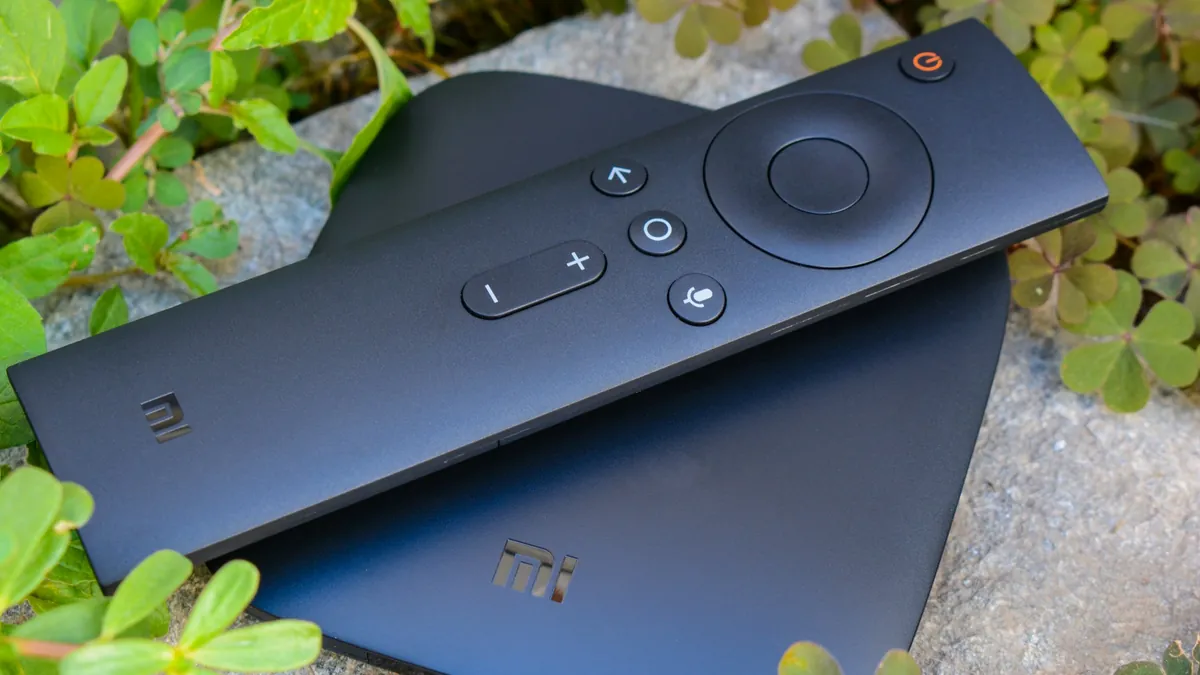
The first thing to say: you very likely do not need to buy anything. If you own a reasonably recent Smart TV, a Fire TV Stick, an Apple TV or an Android box, you are already set. Start there, see how it goes, and buy something only if it falls short.
If you are buying, here is the honest comparison.
Your existing Smart TV
Cost: nothing.
Samsung and LG TVs from roughly the last five years can install IBO Player, Duplex IPTV or Smarters Player Lite from their own app stores. One remote, nothing extra plugged in, no cables.
Good because it is the tidiest possible setup and costs nothing to try.
Limited because these apps are basic, there is no recording, activation uses a MAC address rather than a login so it is not instant, and older TVs eventually stop getting new apps. TV app platforms age much faster than the panel does — a perfectly good 2016 television may simply not offer the apps any more.
Start here if your TV is recent. Our Samsung guide covers the process.
Fire TV Stick
Cost: low, and frequently discounted.
The most common IPTV device in New Zealand, for good reason. Cheap, plugs into any HDMI port, runs every major Android player app.
Good because the price-to-capability ratio is unmatched, it runs TiviMate and IPTV Smarters Pro, and it works on any TV including old ones with a spare HDMI port.
Limited because apps need sideloading through Downloader — a few extra minutes, covered in our Fire TV guide. Storage is small, so recording to the device is impractical. The basic model does not do 4K.
Buy the 4K or 4K Max model. The price gap over the basic Stick is small and the capability gap is not.
Best for most people. If you are buying one thing and are not sure, buy this.
Android TV box
Cost: moderate to high depending on model.
The most capable option. Everything installs from the Play Store, recording works properly, and USB ports let you attach a drive.
Good because it runs TiviMate with full recording, has Ethernet and USB, and a decent box stays fast for years. An Nvidia Shield is the best of these by a clear margin.
Limited because it costs several times what a Fire TV Stick does.
Best for anyone who wants recording — which, from a country where most overseas sport airs overnight, is a stronger argument than it sounds. Our Android box guide has the detail.
Apple TV
Cost: high.
The most polished experience, with real restrictions.
Good because the interface is excellent, apps come from the App Store and update properly, and the hardware is fast and long-lived.
Limited because Apple does not permit sideloading, so TiviMate is unavailable and recording is effectively impossible. You get Smarters Player Lite or GSE Smart IPTV.
Best for households already in the Apple ecosystem who do not need recording. See our Apple TV guide.
MAG boxes
Cost: moderate.
Dedicated IPTV hardware, activated by MAC address rather than a login.
Good because they do one job and do it simply, which suits a less technical household. No app store to navigate.
Limited because they are single-purpose — no Netflix, no YouTube, no apps — and the interface is dated. Activation depends on the provider registering the MAC.
Best for someone who wants a simple appliance rather than a computer.
Boxes to be careful with
Marketplace listings for cheap “8K Android TV boxes” with enormous specifications are the main trap. Common problems:
Overstated capability. Many claim 4K and deliver stuttering software decoding because the chip lacks HEVC hardware support.
Old Android versions. A box shipping Android 7 in 2026 will not run current apps for long.
Pre-loaded piracy apps. Some arrive with unlicensed streaming apps installed. Beyond the legal issue, it tells you what kind of supply chain the box came through.
No updates. No security patches, no fixes, ever.
If you are buying a box, buy a known brand — Nvidia, Google, Xiaomi — or buy a Fire TV Stick instead.
Do not overlook: phone, tablet, laptop
Free, already owned, and useful. A phone is also the best diagnostic tool you have: when the TV buffers, playing the same channel on your phone over mobile data instantly tells you whether the problem is your home network or the stream. Our phone guide covers setup.
What actually matters
Ethernet port. Wired beats wireless for video, every time. If the device sits near the router, this is the single most valuable feature. A Fire TV Stick can take an Ethernet adapter.
HEVC hardware decoding. Required for 4K without stutter. See our 4K guide.
Enough RAM. 2 GB minimum, more is better.
A platform that still gets apps. This is what kills Smart TVs first.
The recommendation
Already own something? Try it before spending anything.
Buying one thing? Fire TV Stick 4K.
Want recording? Android TV box, ideally an Nvidia Shield, with TiviMate and a USB drive.
Already deep in Apple? Apple TV 4K, accepting no recording.
Whatever you choose, the setup guide has the steps, and the plans are here when you are ready.
Common questions
What is the cheapest device for IPTV?
The one you already own. A Smart TV from the last five years, an existing Fire TV Stick, a phone or a laptop all work without spending anything. Try that first and only buy hardware if it genuinely falls short.
What should I buy if I am buying one device?
A Fire TV Stick 4K. It is inexpensive, runs every major player app, works on any television with a spare HDMI port, and handles 4K properly. Avoid the basic non-4K model — the price gap is small and the capability gap is not.
Are cheap unbranded Android boxes worth it?
Generally no. Many claim 4K or 8K but lack the hardware decoding to deliver it, run outdated Android versions that stop receiving app updates, and some arrive with unlicensed streaming apps preinstalled. Buy a known brand, or buy a Fire TV Stick instead.